I take a lot of screenshots in OSX (⌘+shift+4) to share and for the longest time I just lived with the 2003-era super cool shadow:

I finally got tired of it and found the solution to turning it off is these two terminal commands:
defaults write com.apple.screencapture disable-shadow -bool true

killall SystemUIServer
Now my screenshots look like this:
 If for some reason you would want to re-live 2003 you can re-enable the drop shadow with these commands:
defaults write com.apple.screencapture disable-shadow -bool false

killall SystemUIServer
Censys.io Python Script
I have been using censys.io a lot lately to do network reconnaissance and noticed they just released a new API that didnt have a CLI frontend so I spent sometime writing a python based one. You can grab a copy here.
Usage is: python censys.py -f (search term)

It is still pretty rough and I will be making more updates as I get time.
LetsEncrypt.org TLS Certificate With Nessus
Letsencrypt.org is a new project that offers free TLS certificates to allow people to encrypt their traffic.
The project is in a limited beta so I decided that a good test would be to install one of their certificates on to a Nessus scanner I host in AWS.
The install wasn’t complicated and only took about 15 minutes and 9 commands:
cd ~

git clone https://github.com/letsencrypt/letsencrypt

cd letsencrypt

./letsencrypt-auto --agree-dev-preview --server https://acme-v01.api.letsencrypt.org/directory auth

sudo service nessusd stop

sudo cp -i /etc/letsencrypt/live/scan.jerrygamblin.com/fullchain.pem /opt/nessus/com/nessus/CA/servercert.pem

sudo cp -i /etc/letsencrypt/live/scan.jerrygamblin.com/privkey.pem /opt/nessus/var/nessus/CA/serverkey.pem

sudo cp -i /etc/letsencrypt/live/scan.jerrygamblin.com/chain.pem /opt/nessus/com/nessus/CA/cacert.pem

sudo service nessusd start
Now my padlock is green and my traffic is secure:

Bluetooth Recon
I have been working on a Bluetooth hacking project recently and couldn’t really find a good bluetooth recon tool so I wrote btrecon to do what I need done.
Here is a quick demo:
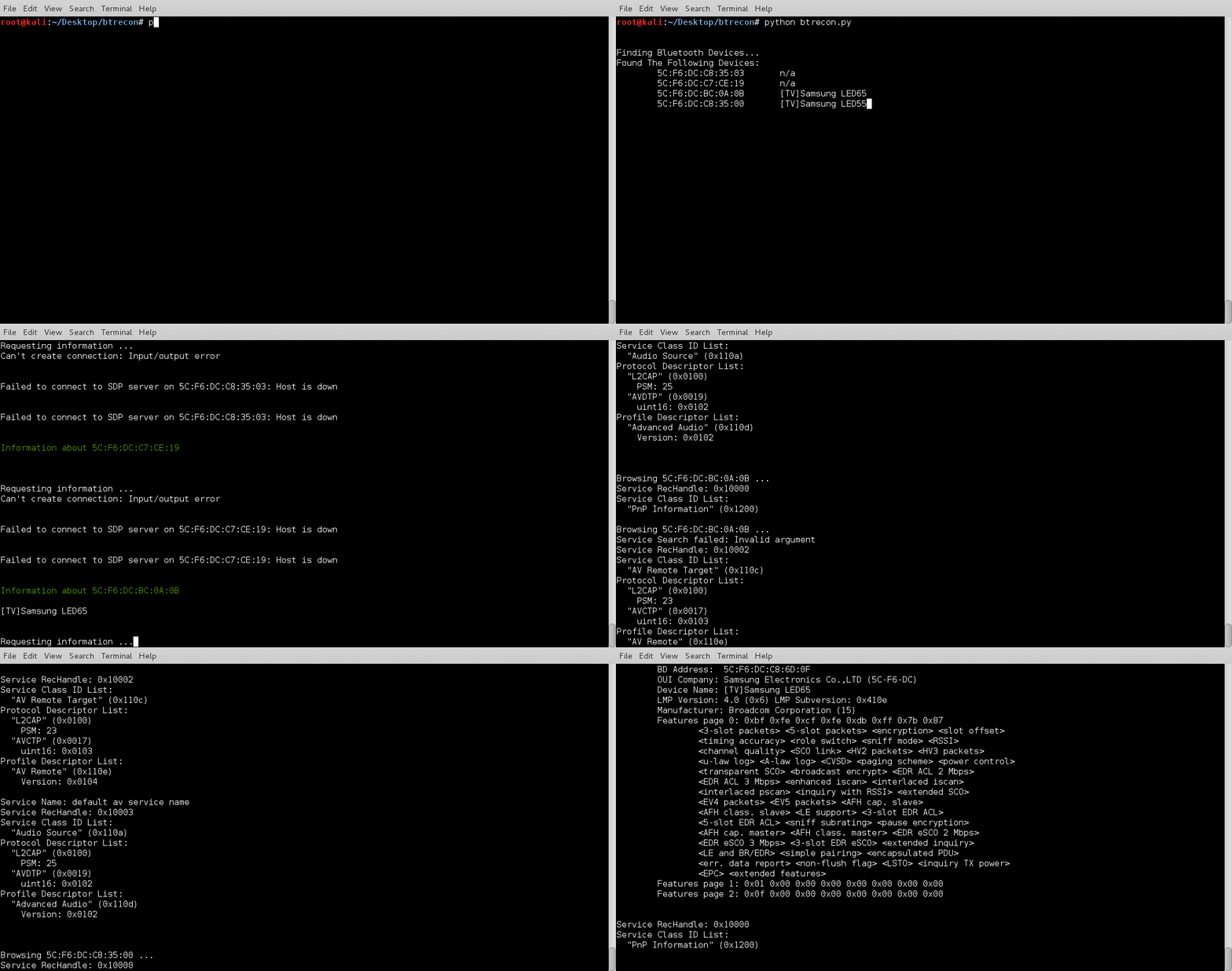
I still have some work to do on this project as I would like to add some logging and menus but it isnt a bad start. If you have any suggestions or problems please reach out to me on twitter @jgamblin.
